April 30, 2026 • Mara Voss • 9 min reading time • Prices verified June 12, 2026
Before You Buy a Smart Home Hub, Ask This One Question First
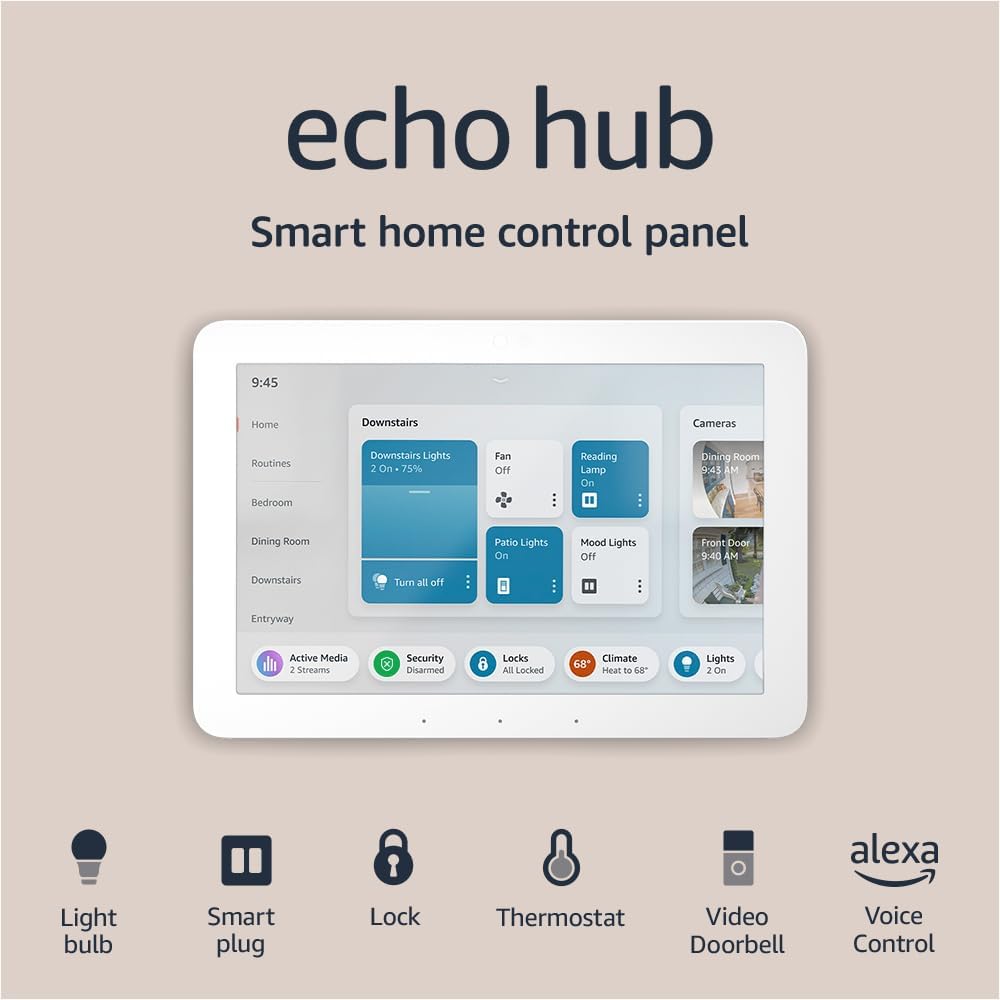
A smart home hub is the brain of a connected home — a device (or an app, or sometimes both) that lets your lights, locks, thermostat, speakers, and security cameras talk to each other and respond to a single command. Without one, you end up with a half-dozen separate apps and devices that don’t know the other exists. With the right one, you unlock automation: the lights dim when a movie starts, the door locks when everyone leaves, the thermostat drops at bedtime without anyone touching anything. It sounds like magic. The catch is that the smart home world is divided into competing ecosystems — essentially rival software kingdoms — and a hub built for one kingdom often refuses to cooperate with devices from another. Buy the wrong hub first and you’ve made a decision that quietly controls every purchase that follows. That’s the trap this article is designed to help you avoid.
The one question you need to answer before you buy anything is this: What phone does the primary user carry, and are they already inside Apple, Google, or Amazon’s world? Everything else flows from that answer.
| EDITOR'S PICK[Amazon Echo Hub (newest model)](https://www.amazon.com/dp/B0BCR7M9KX?tag=greenflower20-20) | Mid-tier[Aeotec Smart Home Hub](https://www.amazon.com/dp/B08TWDNQ5Q?tag=greenflower20-20) | Budget pick[Tapo Smart Hub with Built-in Ch…](https://www.amazon.com/dp/B0C7FCX76S?tag=greenflower20-20) | |
|---|---|---|---|
| Compatibility | Alexa+ | Z-Wave, Zigbee, Matter | Tapo sensors |
| Built-in display | ✓ | ✗ | ✗ |
| Max devices | — | — | 64 |
| Protocol | — | Z-Wave, Zigbee, Matter | Sub-1GHz |
| Price | $179.99 | $149.99 | $22.99 |
| See on Amazon → | See on Amazon → | See on Amazon → |
Why Ecosystems Are the Real Product You’re Buying
When you buy a hub — say, an Apple HomePod, an Amazon Echo, or a Google Nest Hub — you’re not really buying a speaker or a small touchscreen. You’re buying membership in a software ecosystem with its own rules, strengths, ceiling, and blind spots. The hub enforces those rules on every device you attach to it.
Here’s where most buyers get tripped up: they evaluate the hub on its own merits (nice screen, good sound, works with Alexa) without asking whether the devices they already own — or plan to buy — are first-class citizens in that ecosystem. CNET’s 2025 platform comparison notes that while all three major ecosystems support a wide device catalog on paper, the depth of integration varies dramatically. A Philips Hue bulb technically works with Alexa, Google Home, and HomeKit, but granular control features like individual light zone scheduling behave differently depending on which hub is orchestrating them.
The three dominant ecosystems as of mid-2026:
- Apple HomeKit / Apple Home — tightest security architecture, premium device selection, requires Apple hardware to administer. Best for households where iPhones are universal and privacy is a priority.
- Amazon Alexa / Echo — widest raw device compatibility, the most mature third-party skill library, voice interaction that reviewers consistently rate as highly responsive. Best for mixed-device households that want breadth.
- Google Home / Nest — strongest integration with Android phones and Google services (Calendar, Maps, YouTube), with a rebuilt app that Tom’s Guide notes has improved meaningfully since its 2023 overhaul. Best for Android-primary households already using Nest cameras or thermostats.
Then there’s the newcomer that changes the calculus slightly: Matter, an open connectivity standard backed by all three of the above, plus Samsung SmartThings and others. Matter promises cross-ecosystem device compatibility — a single light switch certified for Matter should work with Alexa, HomeKit, and Google Home without separate integrations. The Verge’s 2025 Matter 1.3 coverage describes meaningful progress on device categories and multi-admin support (letting one device belong to two ecosystems simultaneously), but also notes real-world roughness: Thread border routing (the wireless backbone Matter relies on for non-Wi-Fi devices) behaves inconsistently across hub brands, and the “just works” promise still has asterisks in 2026.
The practical implication: Matter reduces but does not eliminate the ecosystem trap. You still need a hub. The hub you choose still shapes your experience. Matter just gives you a better exit ramp if you change your mind in year three.
The Ecosystem Trap in Numbers
By the numbers — what lock-in actually costs:
| Scenario | Sunk cost if you switch ecosystems at year 2 |
|---|---|
| 8 Zigbee bulbs + non-Matter bridge | ~$180 in bridge hardware, replaced |
| 4 HomeKit-exclusive switches (no Matter) | ~$280, incompatible with Alexa/Google |
| 3 Nest cameras (Google ecosystem–only) | Cameras work, but lose deep Google Home automations |
| Full Matter-certified device build | Switching hub cost only — devices migrate |
Wirecutter’s smart home hub guide makes a point worth internalizing: the cost of the hub itself is almost never the meaningful number. A $99 hub that locks you into replacing $600 of switches is the expensive hub. A $229 hub where every attached device is Matter-certified is the flexible one.
The Three Decision Frames That Actually Matter
1. Phone First, Hub Second
If the household runs iPhones exclusively, Apple Home is the default answer. The Home app, Siri shortcuts, and HomeKit’s end-to-end encryption architecture are native to the phone in the user’s pocket — no friction, no secondary app. A HomePod (2nd gen, $299) or HomePod mini ($99) doubles as the hub and a room speaker. The tradeoff: HomeKit’s device catalog, while growing, is smaller than Alexa’s, and Matter is still the smoother path if you want non-Apple cameras or thermostats in the mix.
If the household is Android-primary and already using Nest hardware, Google Home is the obvious fit. The Nest Learning Thermostat, Nest Doorbell, and Nest Cam lineup are deeply integrated with Google Home in ways that don’t fully translate to Alexa or HomeKit. Reviewers at The Verge consistently note that Nest cameras lose their richest alert logic when managed outside the Google ecosystem.
Mixed households — one iPhone, one Android, or a rental where multiple people need control — are Amazon Alexa’s strongest argument. Echo devices are inexpensive, Alexa’s device compatibility list is the broadest in the industry, and the multi-user and multi-admin features are mature. The tradeoff is that Alexa’s local processing story is weaker than Apple’s, meaning more voice commands route through Amazon’s cloud, which matters to some privacy-conscious buyers.
2. The Devices You Already Own Are Votes
Before choosing a hub, audit what’s already in the home. Make a short list: What brand are the smart bulbs? Who made the thermostat? Is the security camera on a proprietary app? Each existing device is a vote for an ecosystem — or a liability if it’s incompatible with your intended hub.
The failure mode here is buying a premium hub and discovering that the existing Arlo cameras, the Ecobee thermostat, and the Yale lock all work technically with the new hub but not well. “Works with Alexa” on a product page means it passed a compatibility test; it doesn’t mean the integration is deep, reliable, or will survive the next firmware update. CNET’s platform comparison flags this explicitly: certification and quality of integration are different things, and the gap is widest for older devices that predate Matter.
The safe move for anyone starting fresh: build your device list around Matter-certified hardware from day one, then choose the hub whose native ecosystem (Apple, Google, Amazon) aligns with your phones. You’ll get full native features on the hub’s home turf, and Matter gives you portability if you change direction.
3. Total Cost of Ownership Runs Three Years, Not Day One
Wirecutter’s smart home hub coverage makes a point that’s easy to miss: the hub is almost never the expensive part. The expensive parts are the switches, sensors, cameras, and locks — and their compatibility lifecycle.
Run this math before you commit:
- Hub replacement cost: Hubs age out in 3–5 years as standards evolve. Budget ~$100–$229 to refresh.
- Device stranding risk: Non-Matter devices from discontinued product lines (Wink, Insteon, early Zigbee bridges) have stranded buyers before. It will happen again.
- Subscription layers: Some premium hub ecosystems layer in fees — SmartThings add-ons, certain Alexa Guard features, Nest Aware for camera history. Know what’s free and what’s paywalled before assuming a device feature is included.
- Labor to re-pair: Migrating a 30-device home from one hub to another is a half-day project minimum. Professionals in smart home integration forums consistently report this as the most underestimated cost in ecosystem switching.
The three-year total-cost-of-ownership lens almost always favors either (a) building Matter-first from the start, or (b) committing fully to whichever native ecosystem matches your phones and buying only hardware that ecosystem handles natively and deeply.
Which Hub to Actually Buy (The Decision Rules)
After auditing existing devices and confirming the household phone ecosystem, the decision tree collapses quickly:
If you’re iPhone-only and privacy matters most: Start with a HomePod mini ($99) or HomePod 2nd gen ($299). Use HomeKit-native or Matter-certified devices. Accept that your device catalog is slightly narrower in exchange for the tightest local-processing and encryption story of any consumer hub.
If you’re Android-primary with existing Nest devices: A Nest Hub Max (~$229) or Google Home app on a Pixel tablet is your native environment. Don’t fight the ecosystem you’re already inside. Extend it with Matter-certified devices for anything Nest doesn’t cover natively.
If your household is mixed-platform or you want maximum device flexibility: Amazon Echo (4th gen, $99) or Echo Show 10 ($249) gives you the widest compatibility floor. Layer in Matter-certified devices going forward. Accept that Alexa’s local-processing is more cloud-dependent than the alternatives.
If you’re building a new home or doing a full renovation and want genuine optionality: Build Matter-certified from the ground up and use a dedicated hub like Aeotec’s SmartThings Hub (one of the hubs Wirecutter has flagged for serious Matter support) alongside your preferred native ecosystem app. This adds ~$99 in hub cost but meaningfully reduces ecosystem lock-in risk over a five-year horizon.
If the current hub is fine but it’s not Matter-compatible: Don’t replace it just to replace it. Identify your next three device purchases and confirm they’re Matter-certified. Transition the ecosystem incrementally. Tom’s Guide’s Matter explainer specifically recommends this phased approach for existing homeowners — there’s no deadline forcing a rip-and-replace.
The Short Version Before You Buy Anything
The one question that unlocks all the others: What ecosystem do the phones in this household already live in? That answer points at the right native hub. From there, insisting on Matter-certified devices for anything new eliminates most of the lock-in risk that turns smart home enthusiasm into sunk-cost regret.
The ecosystem trap isn’t a flaw in smart home technology — it’s an architectural reality of how these systems were built. The good news is that Matter is making the walls between ecosystems shorter every year. The better news is that knowing the trap exists puts you well ahead of most buyers who discover it only after the second or third incompatible device purchase.
Buy the hub that fits the phones. Buy devices that speak Matter. Everything else is details.