June 7, 2026 • Mara Voss • 8 min reading time • Prices verified June 12, 2026
Smart Family Calendar Displays: The No-Subscription Question You Must Ask Before Buying
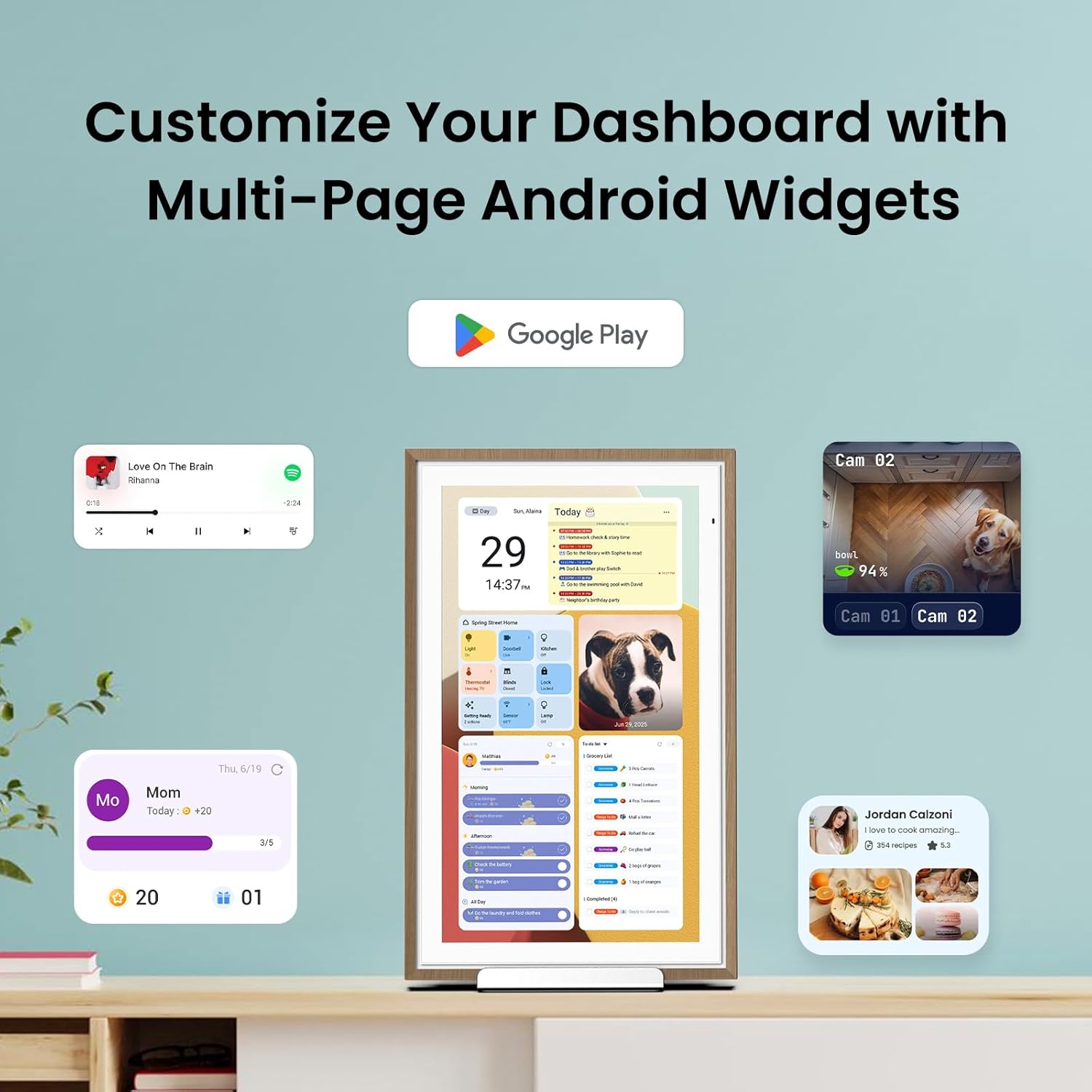
A smart family calendar display is exactly what it sounds like: a dedicated screen — usually hung in a kitchen or mudroom — that shows your household’s shared schedule in real time, pulling events from digital calendars like Google Calendar or Apple’s iCloud. Think of it as a whiteboard that updates itself. Parents add a dentist appointment on their phone; it appears on the screen within seconds. Kids can see at a glance when soccer practice is, grandparents can check in remotely, and nobody has to ask “what’s happening this weekend?” twice. The category has grown quickly, and the hardware options are genuinely good right now. But there’s a catch that too many buyers miss until after the box is open: some of these devices require a monthly or annual subscription just to keep syncing your calendar. Skip that question in your research, and a $200 purchase quietly becomes a $350 two-year commitment — or a useless screen after a free trial expires.
This guide will walk you through the subscription math, name the specific trade-offs between the major platforms, and give you a clear decision rule at the end so you can stop second-guessing and buy.
The Subscription Trap: What “Free” Actually Means
Let’s be precise, because the marketing language here is genuinely slippery.
Skylight Calendar is the category’s most-advertised device. The hardware itself — a 15-inch touchscreen — currently retails around $229. Out of the box, it works. But the feature set most people want, including syncing from Google Calendar, adding family members remotely, and viewing chores or task lists, requires Skylight Plus, which runs approximately $99 per year as of mid-2026. Tom’s Guide’s review of the Skylight Calendar notes this clearly, flagging that the free tier is limited enough that most households will feel the pull toward the paid plan within the first month. Over three years: $229 hardware + $297 in subscriptions = $526 total cost of ownership before you account for any price increases.
Cozi, the scheduling app that integrates with several third-party displays and also runs on tablets, has a free tier and a Cozi Gold premium tier (around $29.99/year). It’s cheaper, but Cozi’s display experience depends heavily on the tablet or screen you’re mounting — it’s a software layer, not a purpose-built device.
Google Nest Hub (2nd Gen) and the Amazon Echo Show 15 operate on a fundamentally different model. Both devices sync with their respective calendar ecosystems — Google Calendar for the Nest Hub, Google Calendar and Outlook via the Echo Show — without a dedicated subscription for calendar access. The Nest Hub is around $99; the Echo Show 15 runs approximately $249. CNET’s roundup of smart home displays in 2025 called the Echo Show 15 the strongest all-around pick for households already in the Amazon ecosystem, specifically because it avoids the subscription overhead of purpose-built calendar products.
Frame-style displays (repurposed Kindles running calendar apps, or products like the Tibtiboo family planner) occupy a middle tier — lower hardware cost, but variable sync reliability and smaller ecosystems.
By the Numbers
| Device | Hardware Cost | Annual Sub Required | 3-Year TCO |
|---|---|---|---|
| Skylight Calendar 15” | ~$229 | ~$99/yr (Plus) | ~$526 |
| Amazon Echo Show 15 | ~$249 | $0 for calendar sync | ~$249 |
| Google Nest Hub 2nd Gen | ~$99 | $0 for calendar sync | ~$99 |
| Cozi Gold (app, own tablet) | ~$0–$200 tablet | ~$30/yr | ~$90–$290 |
Prices as of May 2026. Subscription rates subject to change; verify current pricing before purchase.
Ecosystem Fit Is the Real Decision, Not Hardware Specs
Here’s the frame that most buying guides under-emphasize: the calendar display you choose should match the calendar app your household already lives in, not the other way around.
If your family runs entirely on iPhones and uses Apple Calendar (also called iCloud Calendar), the path of least resistance is not Skylight and not the Echo Show. It’s a mounted iPad running the built-in Calendar app, or an iPad running a third-party app like Fantastical (which has its own subscription, currently around $4.99/month, but replaces Skylight Plus in functionality). The Verge’s overview of smart displays consistently notes that Apple’s walled garden makes Apple Calendar the weakest-supported platform on third-party dedicated displays — purpose-built calendar hardware is almost universally easier to configure with Google Calendar.
If your household is mixed — some iPhones, some Android — Google Calendar is the practical universal language. Both the Echo Show 15 and the Google Nest Hub sync to it natively. Wirecutter’s review of smart displays recommends the Echo Show 15 for larger kitchen walls specifically because of its 15.6-inch screen size and the breadth of its calendar integration, but notes the Nest Hub as a more aesthetically neutral option if you want something less “Amazon” in the room.
The Skylight Calendar’s genuine advantage is its purpose-built UX. The interface is designed exclusively for family scheduling — it shows weather, assigns tasks by person, and is visually cleaner than the multipurpose UI of the Echo Show or Nest Hub. For households where ease-of-use for non-technical family members (older parents, young children, anyone who finds the Echo Show menus confusing) is the top priority, reviewers consistently say Skylight wins on experience. Tom’s Guide’s review specifically highlights how simple it is to add events by text from any phone without the recipient needing to manage app permissions. That simplicity has a price: the subscription.
The question to ask yourself: Is the UX premium worth ~$99/year versus zero for the Echo Show 15? For most households, the answer is no — but if you’ve tried the Echo Show 15 and found the interface too cluttered or confusing for family members who aren’t enthusiastic about tech, Skylight’s locked-in experience might genuinely be worth the ongoing cost.
The Mounting and Setup Reality Check
Hardware reviews tend to skip over this, but it matters for family calendar displays more than almost any other product category: where and how you mount it determines whether the family actually uses it.
Across aggregated owner reviews, the pattern for Skylight is that households who mount it centrally — eye-level in a kitchen, not tucked in an office — report consistent daily engagement. Units that sit propped on a counter or get relegated to a secondary space tend to become ignored within 60 days.
The Echo Show 15 is designed for wall mounting and ships with a wall mount bracket. Owners report that the installation process takes about 30 minutes with basic tools, and the result is a screen that looks intentional rather than improvised. The Nest Hub lacks a dedicated wall mount in the box; third-party mounts (typically $15–$30 on Amazon) are the standard solution, per CNET’s buyer notes.
For any of these devices, consider:
- Power access: All require a wired connection. Skylight’s cable management is tidier than the Echo Show’s out of the box, per owner reports.
- Screen brightness in daylight: The Echo Show 15’s auto-brightness adapts well to kitchen windows; the Nest Hub’s smaller screen can wash out in direct sun, according to aggregated reviews on Tom’s Guide.
- Family member onboarding: Google Calendar’s sharing model requires every family member to have a Google account and accept a calendar share invitation. This is a one-time setup task, but it’s the most common sticking point owners report. Skylight’s onboarding is done via SMS invite — no Google account required for contributors.
The Subscription Question Decision Rule
If you’ve read this far, you’re probably trying to resolve one specific question. Here’s the direct answer:
If your household already runs on Google Calendar and you’re comfortable with a multipurpose smart display interface → Amazon Echo Show 15 or Google Nest Hub, no subscription required, decision closed.
If your household has mixed calendars, lower tech tolerance, or you want the cleanest purpose-built family UX and you’re willing to pay ~$99/year for it → Skylight Calendar is defensible, but verify the current subscription terms before buying. Subscription pricing in this category has shifted upward over the past 18 months, and there is no structural reason it won’t continue to do so. You are, effectively, renting the sync functionality.
If you’re an Apple-first household → a mounted iPad with a dedicated app (Fantastical or Structured) is the most ecosystem-coherent choice, even if it requires more upfront configuration. Purpose-built calendar displays do not prioritize Apple Calendar, and workarounds (syncing iCloud to Google Calendar) introduce reliability issues that owners flag in long-run reviews.
If total cost of ownership is the primary constraint → the Google Nest Hub at ~$99 with zero subscription overhead is the most defensible three-year spend in this category. Its screen is smaller, its family-management UI is less polished than Skylight’s, but it works, it syncs reliably, and it doesn’t charge you to keep doing so.
One final note: check the return window before you finalize. Skylight’s hardware is sold through its own site and through Amazon; Amazon’s standard 30-day return window applies to the hardware, but the Plus subscription is non-refundable after use. If you’re buying as a gift, confirm the recipient can test it within the return period before the subscription trial converts.
The no-subscription question isn’t just a budget question — it’s a question about what happens in year two and year three when the novelty has worn off and the device either earns its place on the wall or quietly disappears into a drawer. Ask it before you buy.